
Four Alternative MCAD Programs
Opinion by Ralph Grabowski
Solidworks and Inventor get so much attention that we tend to forget the surprisingly large number of other MCAD programs out there. These other ones are not fly-by-nighters, with many of them having been around for more than two decades. Most have amassed a sufficiently-large customer base to stay in business long-term.
In this article, I talk about MCAD software from Alibre, FreeCAD, IronCAD, and Tobias Schachte.
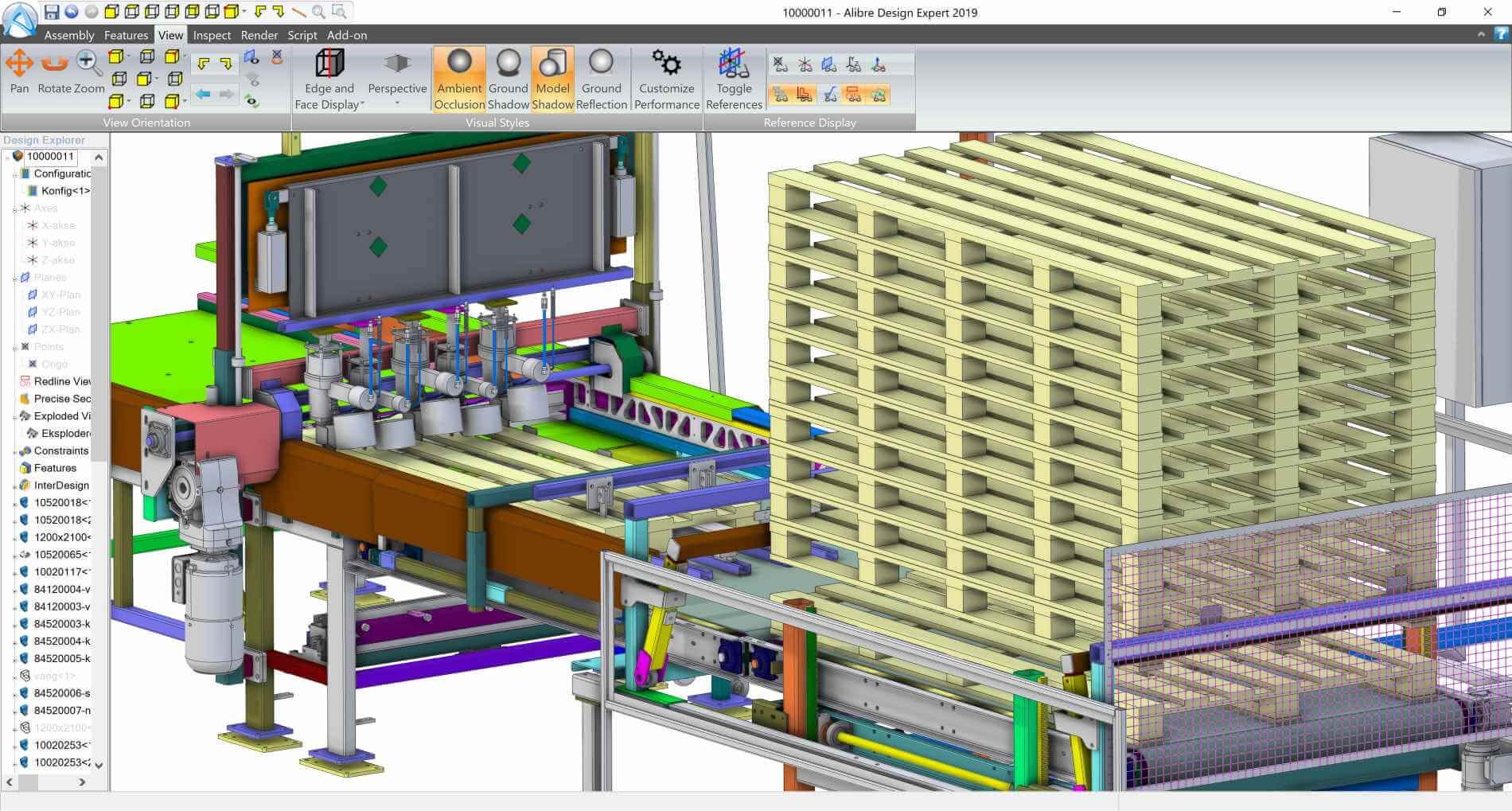
Mechanical assembly motion study generated by Alibre Design Expert
Why Switch MCAD Systems?
Which brings up this question: Why would anyone want to switch to an MCAD program with a smaller market share?
Well, customers of big-name MCAD programs might be getting tired of vendor policies like restrictive licensing, force-feeding of AI and subscriptions, data snooping, and a lack specific functions. Another reason could be political: Some users just don’t want to use software made by giant software corporations.
How to Switch
A poorly-kept secret in CAD is that all software is pretty much alike. If you can operate AutoCAD, then you can probably operate any other DWG editor; if you’re good at making 3D models from 2D sketches, then you’re probably good with nearly any other 3D modeler.
Here’s my advice: Give alternatives a try when your current software dissatisfies you — for whatever reason. Make sure, though, you follow a methodical process, such as this one:
Use a spare computer to download and install demo versions of the alternative MCAD programs
Compare pricing over a ten-year period
Try out their user interfaces to see if they please or irritate you
Import a variety of your drawings and models to ensure they translate accurately into the new MCAD programs -- or not
Scan through the documentation for new functions that might help you
Note whether the new programs integrate into the following:
With your firm’s workflow
With your other software
With hardware like printers and CNC machines
With your clients
It is doubtful your customizations will transfer over, but equivalent third-party add-ons might be available. Should you decide to switch, keep a couple of licenses of the prior software on hand for data access and just-in-case purposes.
Here Are Four MCAD Alternatives
For these MCAD programs with smaller market shares, I describe each and then tell you how they differ. All prices are in US$.
Alibre: Design Expert v28
Alibre launched in 1997, and is notable for being the first CAD program to run over the Internet, although the company subsequently pulled back from that.
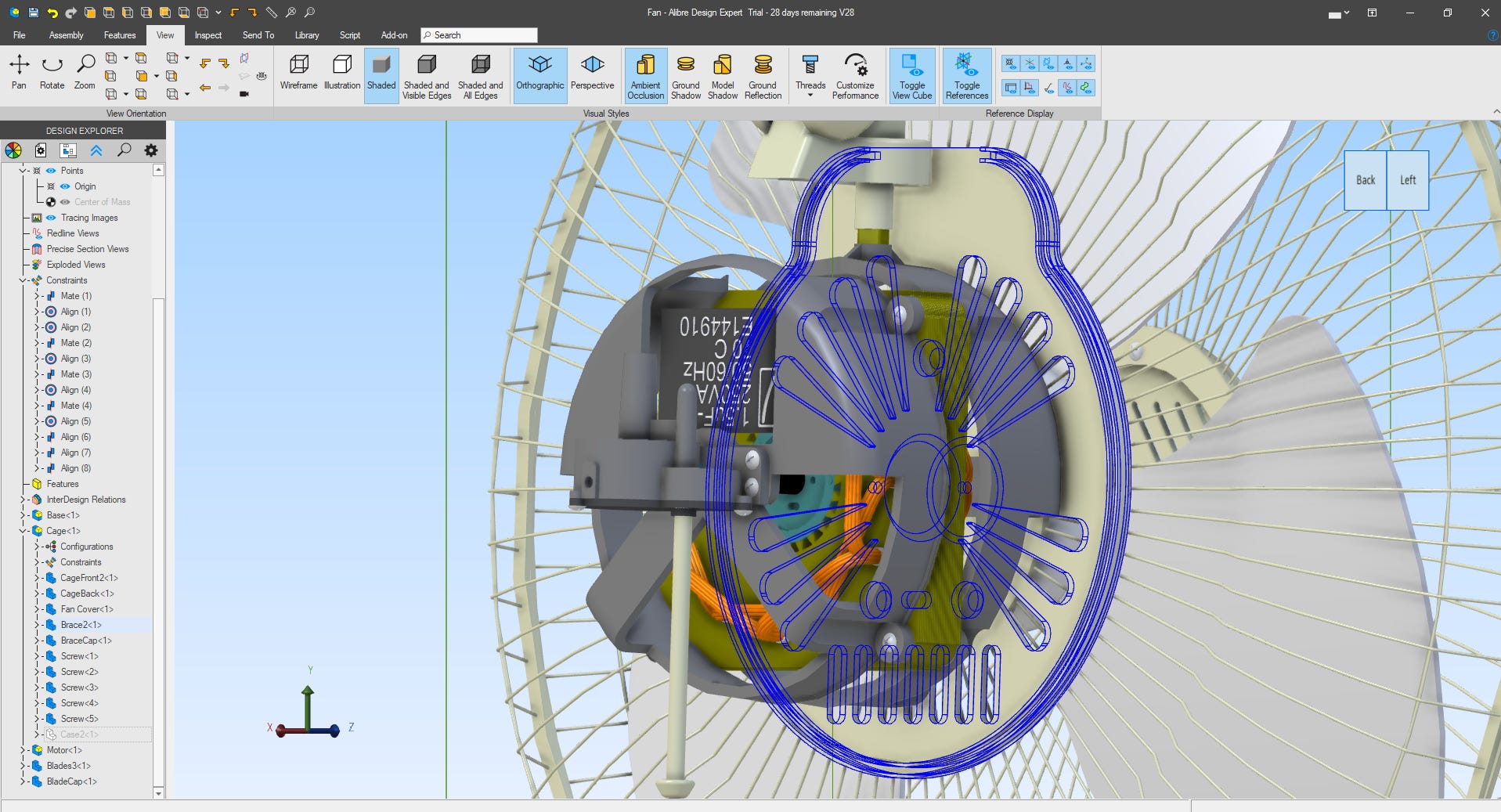
Alibre Design Expert showing its user interface
Today, Alibre sells 3D mechanical CAD in three editions. Even the lowest-cost edition handles parametrics, assemblies, and threads. You will need the more expensive editions to get functions like Booleans, shading, BOMs, sheet metal, and versioning:
Atom3D ($199) -- basic 3D modeling, sketches, assemblies
Design Pro ($999) -- adds advanced 3D modeling, assemblies, 2D drafting
Design Expert ($1,999) -- adds direct modeling, constraints, data management, photorealistic rendering
In a benefit rare in our industry, Alibre’s licenses are permanent and can be moved between computers.
Design Expert is a rare program that repeats commands automatically, until you press Esc. This is handy, for instance, for adding many holes to models.
Each time you customize and insert a part from the library, you are prompted to save it. While I find this to be an interruption of the workflow, it’s a good way to build up a library of parts that we might use frequently. After starting certain commands, however, I experienced a noticeable delay.
Alibre uses a proprietary pkg file for each model that packages its ad_prt parts, ad_asm assemblies, along with other data. All editions import and export several standard formats, like STEP, SAT, and 3D PDF, as well as two proprietary formats (DWG and Solidworks). Higher editions import more propriety formats, like Inventor and Creo, but do not export them. The geometric kernel is ACIS, and the scripting engine uses Python.
Design Expert runs on 64-bit Windows, and it is updated two to three times a year. Documentation is online and has links to useful video tutorials. You purchase it direct from Alibre, or else from dealers in many countries.
https://www.alibre.com/alibre-design-overview
FreeCAD Team: FreeCAD
FreeCAD is 3D mechanical CAD that’s free to use, with donations suggested. It handles parametrics, assemblies, NURBS, and recently added 3D BIM for architects. Among the 3D design work it doesn’t do is 3D meshes. Don’t confuse it for LibreCAD, which is a free 2D-only drafting package.
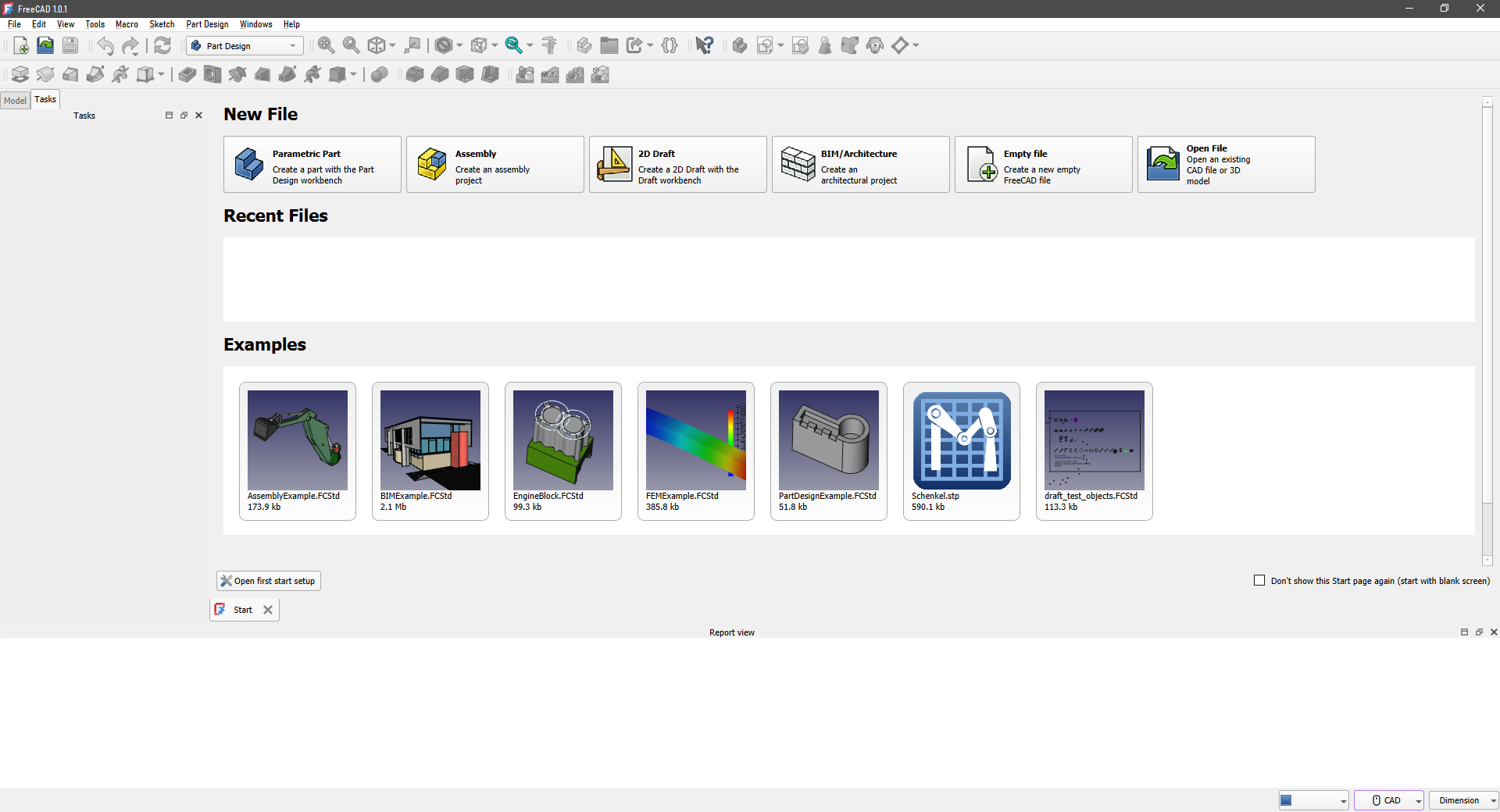
The start screen in FreeCAD
Initially, I found FreeCAD frustrating to use, because it appeared that commands didn’t work. Then I learned that FreeCAD is different: It uses extensions called workbenches. For instance, I needed to install the TechDraw Workbench to generate 2D drawings from 3D models. To see all one hundred workbenches, go to Tools | Addon Manager; some are from FreeCAD Team officially, the remainder are by third-parties.
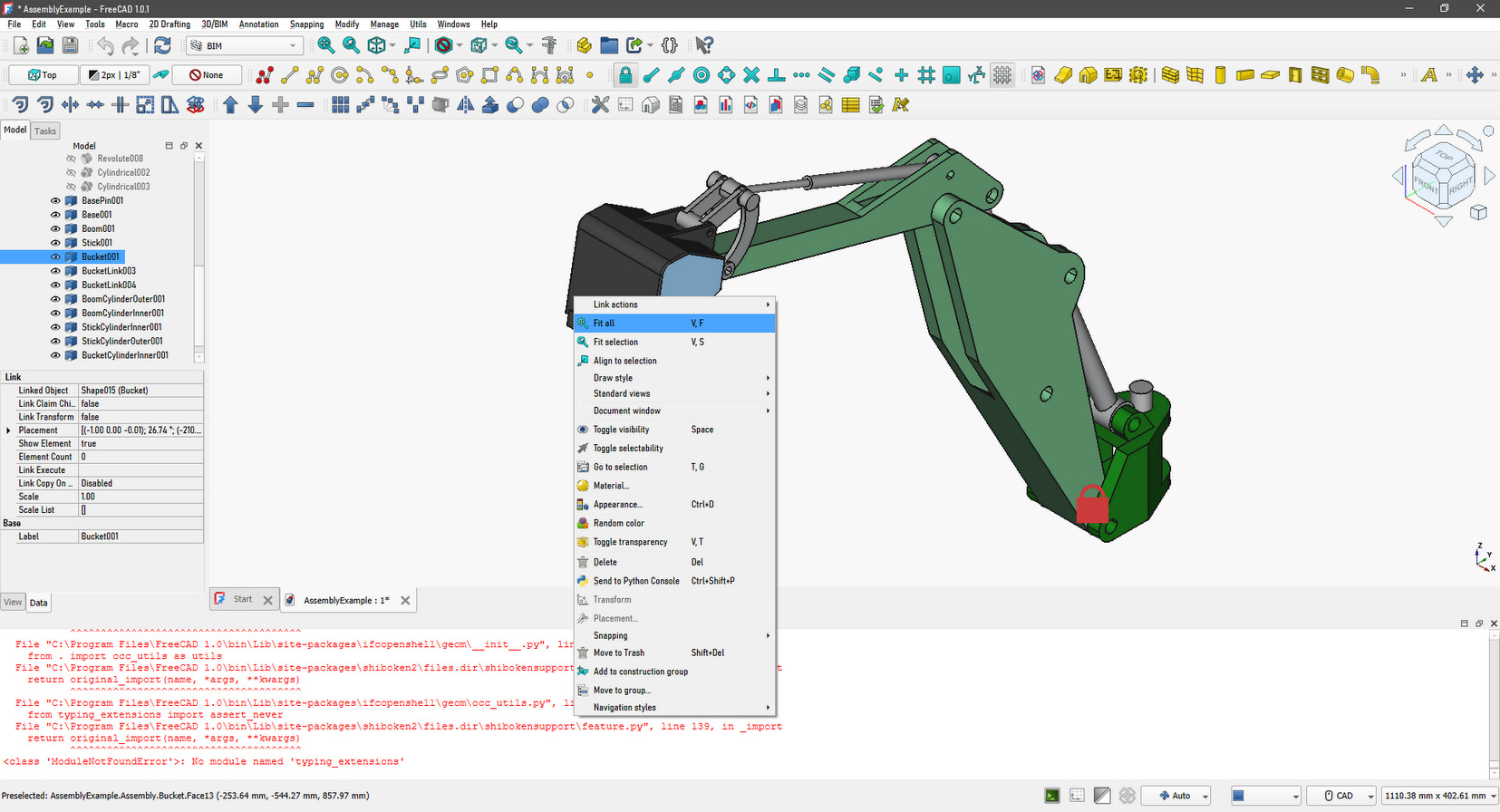
Editing a part in a FreeCAD assembly
FreeCAD has its own format, fcstd, a container file that contains other files. It imports and exports standard formats like STEP, IGES, and IFC, as well as CNC ones, like g-code, but handles only a very few proprietary formats. The geometric kernel comes from OpenCASCADE, and the scripting language is based on Python.
FreeCAD has been written by volunteers since 2002. It runs on 64-bit Windows, MacOS (Intel or ARM), and Linux; no registration is required. Documentation is available online, or downloadable as PDF and ePUB documents. It includes a tutorial on migrating from Fusion 360 to FreeCAD.
IronCAD LLC: IronCAD Innovate 2025
In 1995, IronCAD’s predecessor Trispectives made CAD history when it invented drag-and-drop modeling; the interactive 3D cursor; and real-time rendering during modeling. Today, all MCAD programs do those things. But Trispectives failed for being too advanced for the times. Autodesk bought some of the technology (which reappeared in Actrix and as AutoCAD’s dynamic blocks), while the remainder became IronCAD.
Licensing is by subscription per year:
IronCAD Compose (free) -- File viewer
IronCAD Draft ($650) -- 2D detailing with 3D collaboration
IronCAD Innovate ($1,335) -- 2D and 3D design with collaboration
Synergy ($1,000) -- Collaboration
Today, modeling in IronCAD still is based on drag’n drop operations. For instance, to create a box, I dragged the Extrude (3D box) component into the scene, and then dragged additional components onto it, such as Cut Cylinder (hole). Then I modified their sizes interactively using handles.
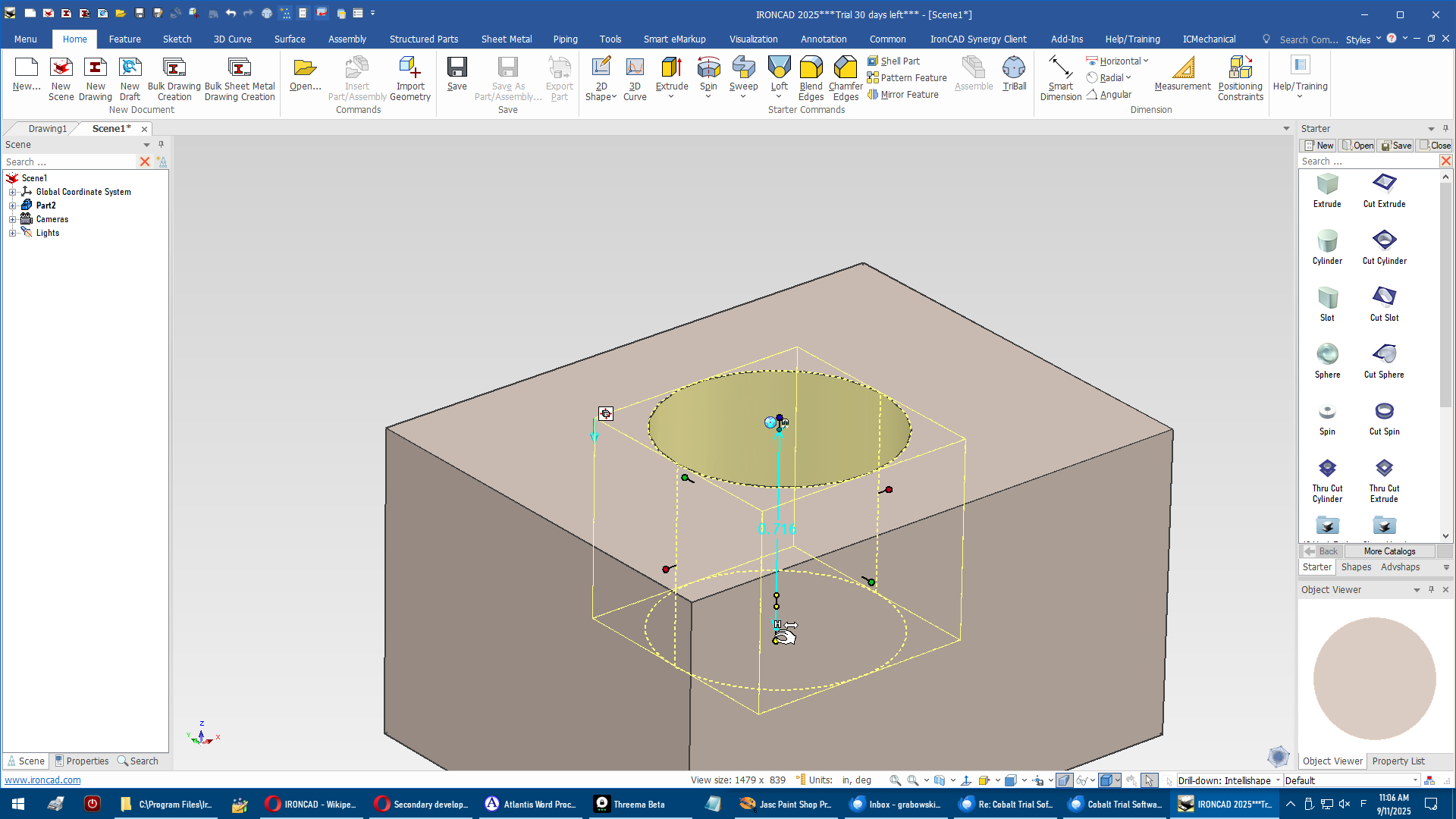
Interactively modifying a hole in IronCAD
The 3D modeling environment is called a “scene.” The 2D drafting component comes from CAXA, the Chinese firm that now owns IronCAD. The Innovate edition of the program is the full-meal deal, handling 2D sketching, sheet metal, surfaces, annotations, piping, and motion mechanics.
IronCAD uses its own ic file format. It imports standard formats like STEP and STL, as well as proprietary formats, such as from Solid Edge and NX. It exports parts (but not assemblies) in standard formats, and in only two proprietary formats, Catia and Revit. It is unique in running both major geometric kernels, Dassault Systemes’s ACIS and Siemens’s Parasolid. This helps it import models from other MCAD systems that employ either of the kernels.
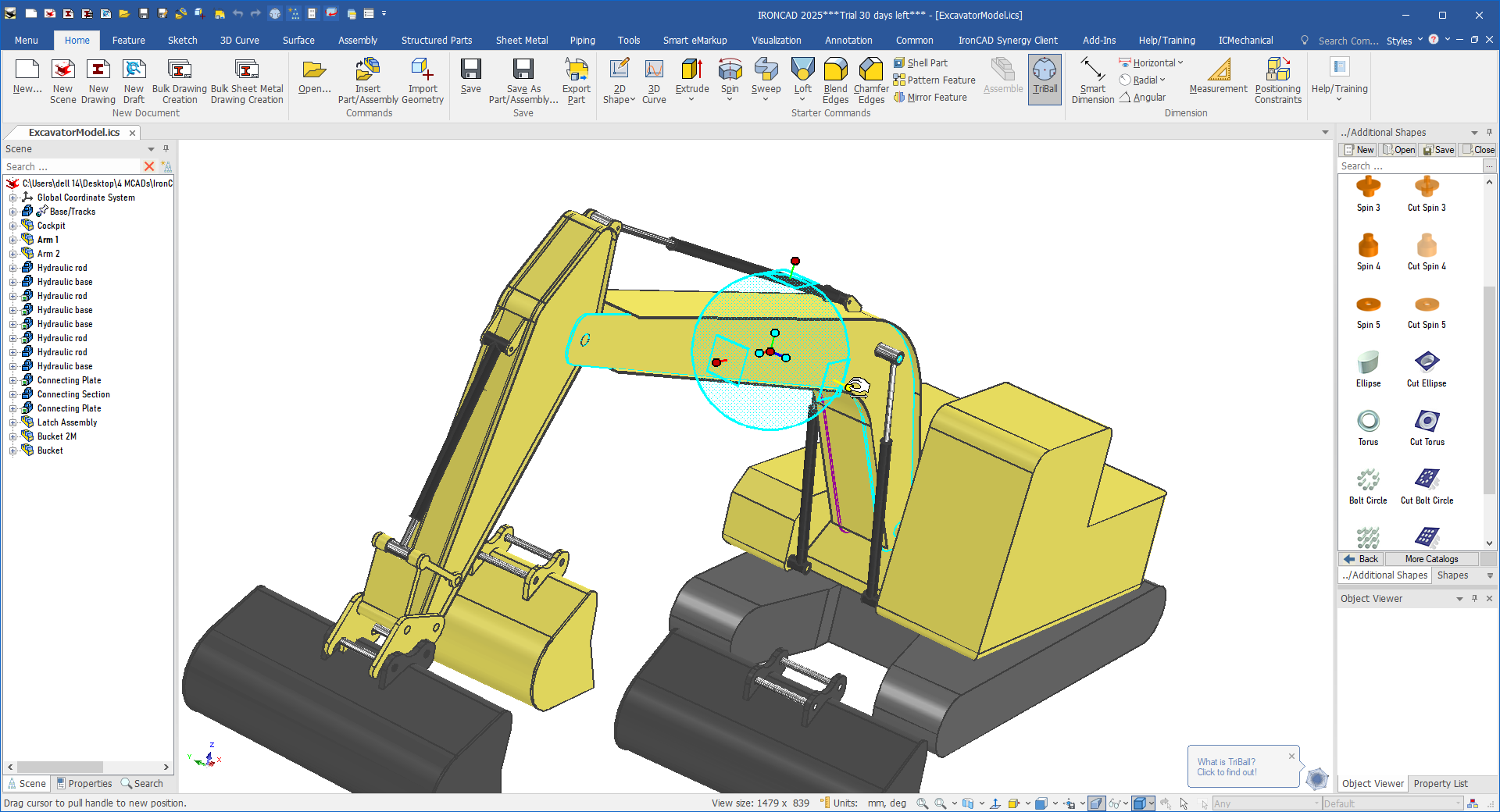
Using the TriBall cursor to adjust a part in an IronCAD assembly
IronCAD runs on 64-bit Windows, and is updated three times a year. Documentation is online, and offers hundreds of tutorial videos. For writing add-ons, IronCAD has its own IC API. Purchase it from dealers.
Tobias Schachte - Macad|3D v4.3
Macad|3D is unusual, because this 3D mechanical CAD is written by one person, Tobias Schachte. He has released it under the MIT license, so it can be copied and modified without restriction. The C# source code is posted to Github <https://github.com/Macad3d>.
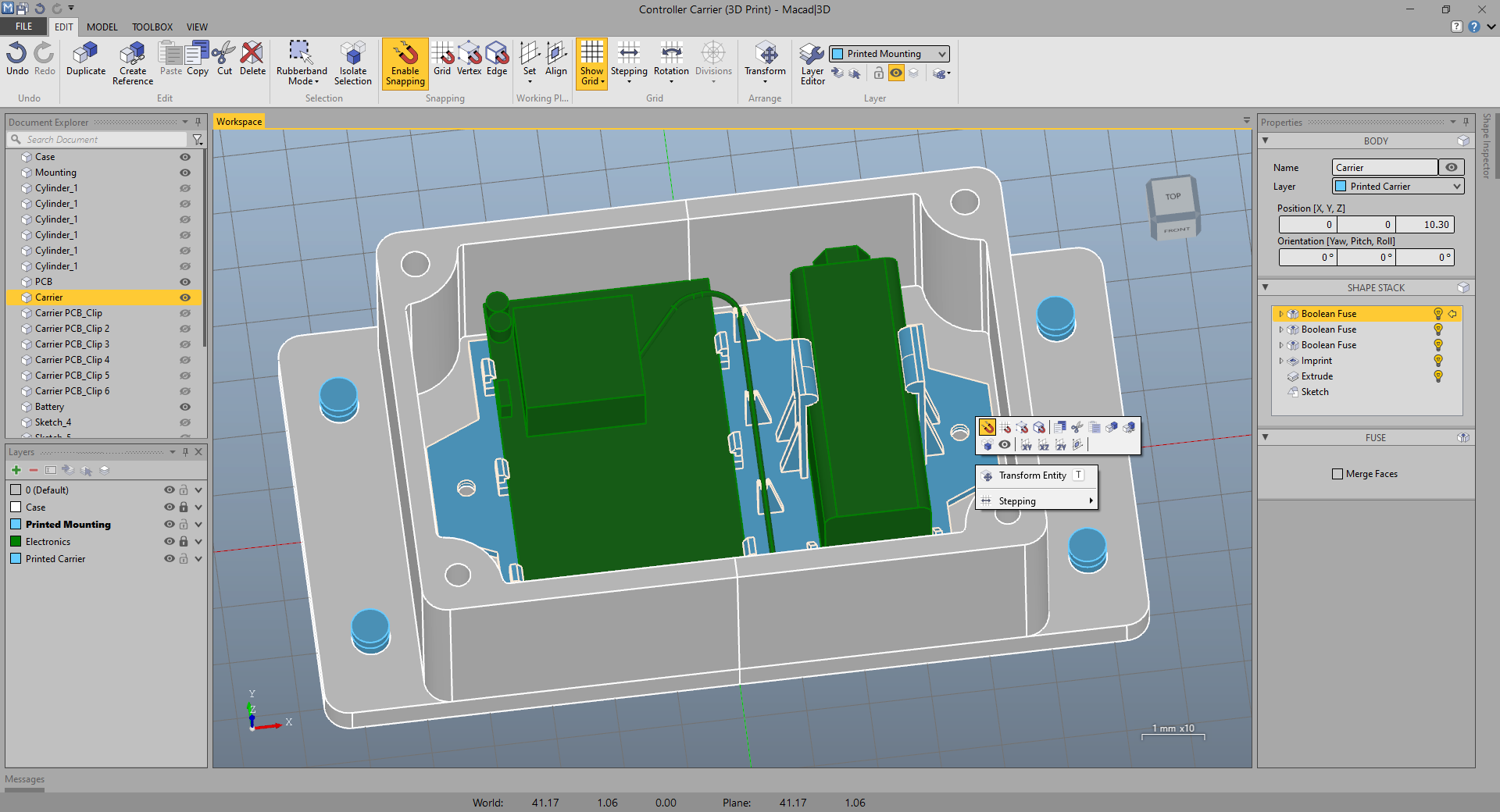
Macad|3D showing its user interface
This program handles 2D sketching and 3D modeling, as well as 3D direct editing, called “live tool.” It has the very beginnings of sheet metal (called “flange sheets”) and assemblies (“joints”). 3D meshes cannot edited, but can be converted to solids.
Macad|3D has its own file format, model, for which I found no documentation. The program imports and exports b-reps in standard formats, like DXF and STEP, but b-splines (NURBS) apparently don’t import well.
Tobias Schachte has worked on this program since 2020. It runs on 64-bit Windows, and can be made to work under Windows emulation on MacOS and Linux. No registration required. Documentation is online. There is no print command, although models can be exported as PDFs -- but that operation crashed on me. The geometric kernel is OpenCASCADE. Scripting is done with C# or any language that works with the .Net framework.
Conclusion
Let me offer a quick overview of each program:
Alibre: Design Expert
Pro Full-featured MCAD system offering permanent, transferable licenses
Con Can be slow to react to commands at times
FreeCAD Team: FreeCAD
Pro Free access to both 3D MCAD and BIM modeling; runs on all desktop operating systems
Con Workbench approach can be initially confusing
IronCAD: IronCAD Innovate
Pro Full-featured MCAD with emphasis on drag’n drop modeling and interactive editing; runs on ACIS and Parasolid kernels
Con Only available through subscriptions payments
Tobias Schachte: Macad|3D
Pro Free MCAD system can be freely modified with C# programming
Con Missing some mainstream functions due its young age; prints by exporting to PDF
Should you switch your MCAD? Well, maybe.
I suspect that you probably would not switch to another MCAD program, because your systems are tightly integrated both inside and outside your firm.
There may, however, be circumstances that cause you to reconsider. You could, for instance, run run one of these as a second MCAD system for doing pre-design or parts development. If so, remember that the primary concern is compatibility with your drawings, your office processes, and your clients.
Or, you just might be curious about how other MCAD programs do things!
[This article, which first appeared in Design Engineering magazine, is reprinted with permission.]
Alibre's permanent transferable licences are a big deal in this subsciption-heavy market. FreeCAD's workbench system took me a while to get used to, but having both MCAD and BIM functionality for free is pretty remarkble.
Sorry for getting the names of the products wrong. The primary purpose of the article was to highlight differences between the four CAD programs, but then I was limited by the editor of 'Design Engineering' magazine to 1,400 words, so there wasn't room for lots more details.
As for pricing, the IronCAD site doesn't seem to list any, but I did find pricing at an IronCAD reseller, which listed only permanent license prices.
Thanks for highlighting the additional differences!